
KLOXO usage tutorial (4): Data backup and restoration

From tutorials 1-3, you should feel comfortable using KLOXO. In fact, what is most important when building a website? Definitely data! Data placed on a server, VPS, or space is definitely not safe and foolproof. Therefore, frequent backups are very, very important. However, you can't use FTP to download files one by one every day, right? ! Absolutely not, today we will take a look at KLOXO’s backup and restore function.
Brick mover CN2 GIA line DC6 replenishment / annual payment of $46.8
Bricklayer DC6 is currently replenished. The node is located in the Los Angeles computer room.
Tencent Cloud Group Sale Event: Buy a 3-year single-core 2G/1M domestic cloud server for 360 yuan
From yesterday to today, this event was probably the most popular. In fact, I personally didn’t buy it. Mainly because I bought it 3 years ago when I gave the voucher last time, and it didn’t expire for a while. However, many friends asked about this event. , and I happen to have a friend who is joining a group tour, so I’ll share it with everyone here. This event does not support refunds or the use of vouchers, please note.


DiyVM: 69 yuan/XEN/2G memory/50G hard drive/2M bandwidth/Hong Kong CN2 line
DiyVM is a Chinese VPS hosting provider that has been established for more than 10 years (started in 2009). It mainly provides cloud servers, CDN and independent servers in Hong Kong, Los Angeles and other regions, etc. for merchants. There are relatively few data centers, but both areas have CN2 lines, and domestic access speeds are good.
Hosteons: 50% off OpenVZ/20% off KVM discount code

osteons began to appear in Zhiju in early 2018.
HXKVM: 51 yuan/month KVM-2GB/20G SSD/6M unlimited Los Angeles

Haixing Cloud Host is a product of the 90 Innovation Laboratory (www.90.cx) founded in 2012. The team has more than 6 years of IDC experience and strong technical research and development capabilities.
ITLDC 50% off all sites/KVM starting from 1.75 euros for the first month/Los Angeles/Netherlands/Singapore, etc.
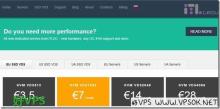
ITLDC Yesterday, a promotional offer was sent to celebrate the International System Administrator Appreciation Day. In the next week, it will provide 50% off on all VPS and E3 series CPU independent server products. With the discount code, VPS starts as low as 1.75 euros for the first month after the discount, and independent servers start as low as 44.5 euros after the discount.
ConoHa VPS host installation Windows system (transfer)
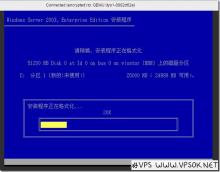
I have tried several ConoHa VPS ways to install Windows systems, and I feel that visual installation using tools is the easiest and most suitable way for novices like VPS to install, so I reprint it here. The tools and installation methods involved in this article are all from Lao Zuo's blog. The article uses this tool to verify the installation process. I opened three new VPS test installations and all were completed normally. Original address:
TMThosting: Seattle high-defense VPS/KVM architecture/55% off/supports Alipay/starts at 16 yuan per month

This year there are more and more foreign VPS hosting providers that support Alipay, such as our title TMThosting, the domain name has been registered